

 5 mins read


Charts are a very important part of a trader's daily routine because they help you follow price movements, identify trends and potential trading opportunities, compare different timeframes, and apply technical indicators. Some traders even prioritize the choice of charting software before deciding which broker to use. This raises a practical question for anyone trading from the United States: how to choose a broker that lets you place orders directly from TradingView charts?
Several brokers offer this connection, but the options narrow considerably when you focus on US forex trading. The differences between integrations also go beyond the broker's name or reputation.
Why Broker Integration Has Become a Deciding Factor
A large share of active traders use TradingView for their analysis. The charting software brings together all the essentials like Indicators, drawing tools, alerts, and multi-timeframe layouts in a single browser tab. This, combined with a native broker connection, means positions can be opened, adjusted, and closed without jumping to a second platform. To connect the broker account to their charting software, clients sign in with their existing account details.
The connection does not transfer the account to TradingView. Deposits, withdrawals, margin requirements, and the account are handled by the broker. TradingView provides the charting and trading interface, and the broker supplies market access, pricing and regulatory protection.

Start With Registration
The US retail forex market has relatively few providers because firms must meet strict regulatory requirements to serve American clients. Firms that offer leveraged currency trading to American retail clients must register with the Commodity Futures Trading Commission (CFTC) as a futures commission merchant or a retail foreign exchange dealer. They must also be members of the National Futures Association (NFA). Only a handful of firms currently meet the requirements set by these institutions, which explains why the list of available forex brokers on TradingView is relatively short for US users.
Being listed on TradingView is not proof of US authorization, because several integrated firms serve other regions only. Before linking the accounts, search the firm's name or NFA ID in the NFA's BASIC database, which shows registration status and disciplinary history. The CFTC's RED List is where you should complete the check. It lists unregistered foreign entities that appear to be soliciting US residents, and it had grown to 284 entries by September 2026.

Check What the Panel Will Let You Trade
Multi-asset firms may connect stocks or futures to TradingView while leaving other financial products like forex out. US retail forex dealers generally offer spot currency pairs, and CFDs on indices or commodities are not made available to American retail clients at all. Some brokers also offer crypto through a separate partner, so the entity holding the coins may not be the one the NFA oversees.
Leverage limits also affect what you can trade and how you manage positions. NFA rules cap retail forex leverage at 50:1 on major pairs and 20:1 on everything else, and the NFA can change which currencies qualify as major. Anyone building position-sizing scripts in Pine Script should confirm the margin rates their broker applies rather than assuming one leverage limit applies to every trade.
Pricing Feeds, Spreads and Execution
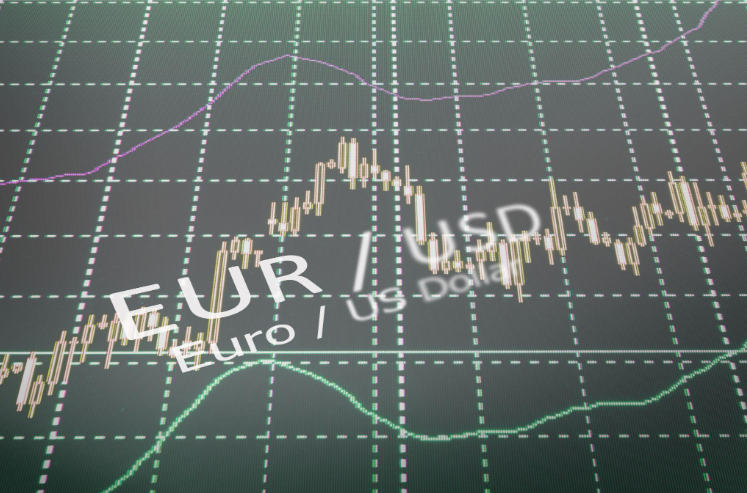
The prices displayed on your chart may be slightly different from the quotes your broker uses to execute trades because TradingView draws on many data feeds. So a EUR/USD chart using one provider's data may show different highs and lows from your broker's quotes. When you connect your account, orders are executed using the broker's bid and ask prices. A stop loss order placed using another provider's feed may therefore trigger at a slightly different price than you expect. Selecting your broker's data feed for the chart can help reduce this difference.
Costs need the same attention. Some dealers price purely through the spread, others pair tighter spreads with a commission, and overnight financing varies by firm. Linking an account usually adds no extra cost to the broker's standard charges applying. Payong for a TradingView plan is a separate decision: the Basic plan costs nothing, while paid tiers offer more indicators per chart, alerts and saved layouts.
Order Types, FIFO and Automation
US trading rules can affect how you manage positions, so do not assume that tutorials made for overseas traders apply to your account. NFA Compliance Rule 2-43(b) requires positions in the same pair to be closed on a first-in, first-out basis, and it prevents holding offsetting positions in the same account.
Within those limits, check whether bracket orders, trailing stops, and partial closes work from the chart. Automated trading through alert webhooks works differently from placing orders through the native trading panel. It generally requires a third-party service or bridge to connect TradingView alerts to the broker, which may add a potential source of delay or technical failure.
TradingView's paper trading mode can help you learn the platform's layout and test your order workflow. It will not reproduce real execution conditions 100% because slippage or delays might occur, so a small live position remains the only true test.
Building a Realistic Shortlist
TradingView's broker directory, filtered by region and asset class, is the starting point when looking for the right broker for you. From there, the comparison follows a simple order: confirm registration, check product scope, align the chart feed, weigh total costs, and test how orders behave. OANDA's US entity, for instance, is registered with the CFTC as both a futures commission merchant and a retail foreign exchange dealer, and its record can be viewed in BASIC. Community reviews and TradingView's broker awards may also help you assess your options, but they should come after regulatory checks and a closer look at the broker's services.